Weather, with blocks.
Weather blocks for the Block Editor, built the way WordPress builds its own. Add a Weather block, pick a place, and see if the sun shines.

A real WordPress, in your browser.
Open the live demo (opens in a new tab)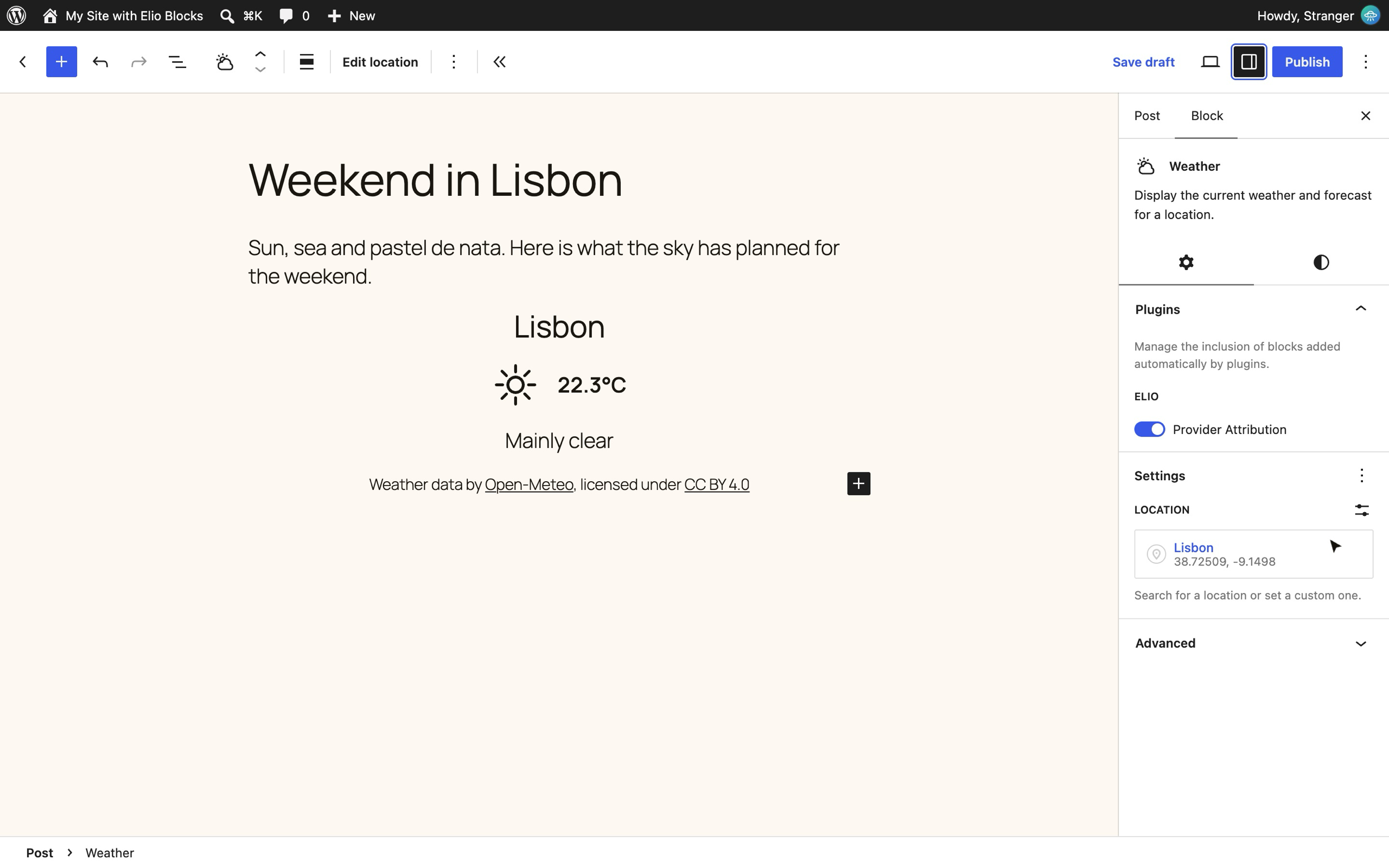
Made for the Block Editor
Feels native, because it is.
21 blocks Every piece of the weather is a block of its own. Add it, move it, style it.
-
The Weather block is the new Query Loop
It fetches the weather forecast of a place and hands it to the blocks inside. Start from a ready-made layout, or from scratch.
-
Template forecasts like you template posts
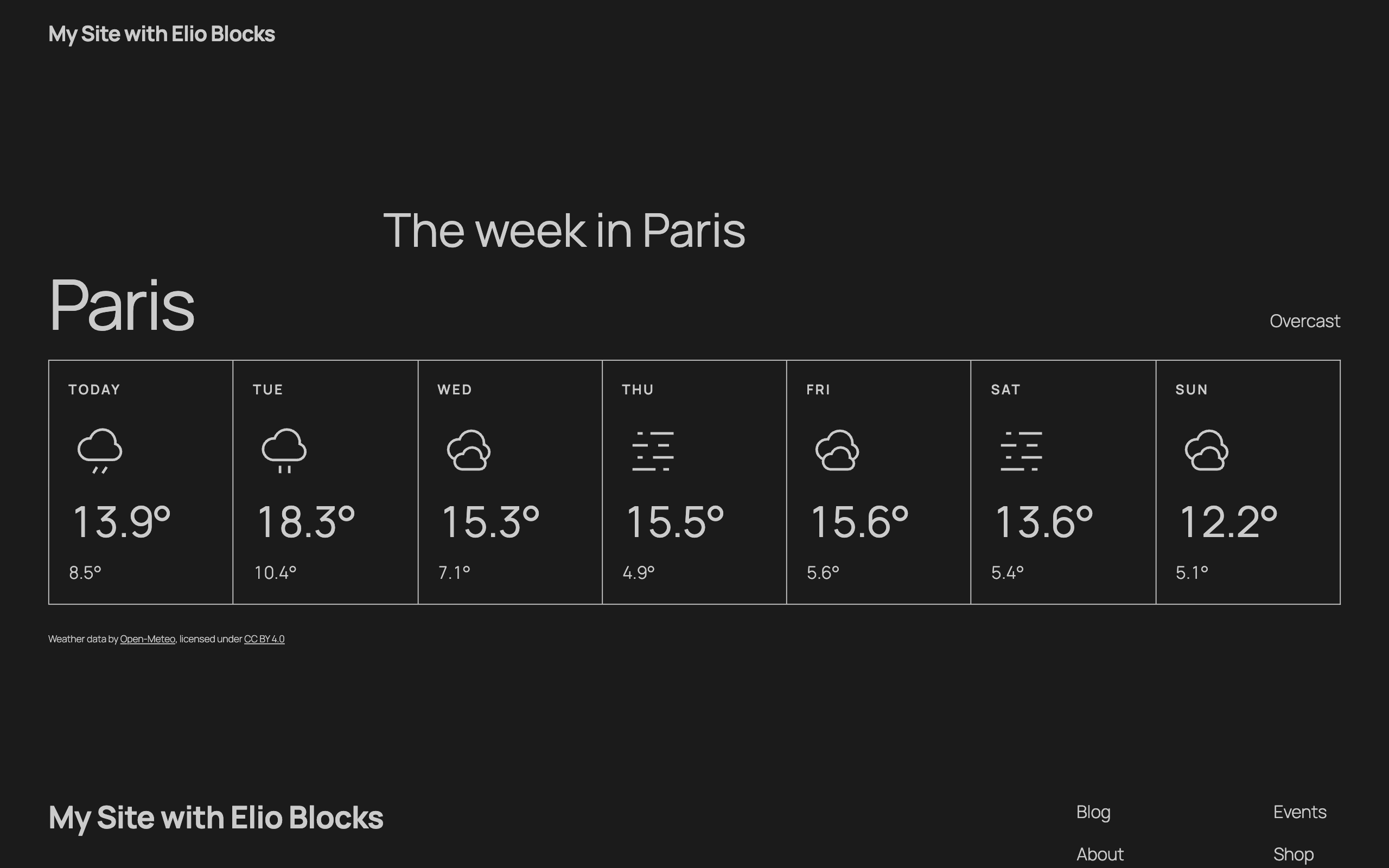
Design one hourly or daily row with any blocks. The Forecast Template repeats it, like the Post Template does.
-
Every design tool you expect from the editor
Colors, typography, spacing, borders: the same panels as core blocks, block by block or site-wide in the Global Styles.
-
Icons drawn the WordPress way
92 weather icons, by day and by night, drawn like the WordPress icons. Pick another collection, or bring your own.
-
Your site’s settings, respected
Your language, your date formats, the timezone of the location. Metric or imperial, site-wide or per block.
-
What you see is what you get
The real forecast, right in the editor, styled exactly as it will be on your site.
-
Made to be extended
Weather providers and icon collections plug in with a few PHP functions, the way WordPress registers its own.
On the front end
In the page from the first byte, fresh all day.
-
Rendered on the server
The weather is in the HTML your visitors and search engines get, server-side rendered like any WordPress block. No loading spinner, no layout shift.
-
Kept fresh in the browser
The Interactivity API, the front-end framework of WordPress itself, refreshes the forecast in place without reloading the page. No jQuery, no heavy scripts.
-
Cached, and private
Forecasts are cached on your server, and your visitors’ browsers never contact the weather service, so their IP address stays with you.
Questions, clear skies.
Is Elio Blocks free?
Yes, totally. Elio Blocks is free software under the GPL (opens in a new tab), like WordPress itself. No pro version, no license key, no nag screen in your dashboard.
Do I need a weather API key?
Not by default. Elio Blocks uses Open-Meteo (opens in a new tab), an open-source weather API that needs no account and no key for non-commercial use. For a commercial site, enter the API key of an Open-Meteo subscription (opens in a new tab) in the plugin settings.
Can I use another weather provider?
Open-Meteo is the provider built in. Elio Blocks is made to welcome others. A provider is registered with a few PHP functions, the same way Open-Meteo is, so new ones can come with the plugin or from your own code.
Can I style the weather blocks?
Yes, like any other block. Colors, spacing and typography come from the standard design tools of the Block Editor, block by block, or for the whole site in the Global Styles (opens in a new tab) of the Site Editor. Beyond that, use theme.json (opens in a new tab), block style variations (opens in a new tab) or custom CSS (opens in a new tab).
Can I change the weather icons?
Yes. Every weather condition has its icon, by day and by night, with a stroke and a color you set like any block. Choose the icon collection for the whole site, a report or a single icon, or register your own collection in a few lines of PHP.
Does it work with the Classic Editor, widgets, shortcodes or page builders?
No. Elio Blocks only provides blocks, for the Block Editor (opens in a new tab) and the Site Editor (opens in a new tab). The weather widget and the [weather] shortcode had a good run. This is what comes after.
What about my visitors’ privacy?
Every request to the weather service is sent by your server, never by your visitors’ browsers, and carries no data about them. No tracking, no third-party script.
Where is the source code?
On GitHub (opens in a new tab), where the plugin is developed in the open. Issues and pull requests welcome.